WaveDisp
Interactive LED Matrix Dashboard







Diverse Display Modes
Supports Clock, Warning Sign, Smiley, Matrix Rain, Game of Life, Bad Apple video playback, QR Code, Drawing Canvas, and Spotify art.
Live Preview Stream
MJPEG video stream mirroring the LED matrix framebuffer back to the web UI in real-time.
Hardware Native
Integrates directly with the hzeller/rpi-rgb-led-matrix C++ driver via
Python bindings.
Overview
WaveDisp is an interactive control dashboard and rendering engine designed for Raspberry Pi LED matrix displays. Specifically, it is built and tested for the Waveshare RGB-Matrix-Px-64x64 (P2.5 64x64 HUB75) panel. The system uses a FastAPI backend coupled with a Vite/React frontend to provide real-time control, configuration, and rendering over the network.
Features & Display Modes
The platform supports a robust set of visual modes that can be hot-swapped from the dashboard:
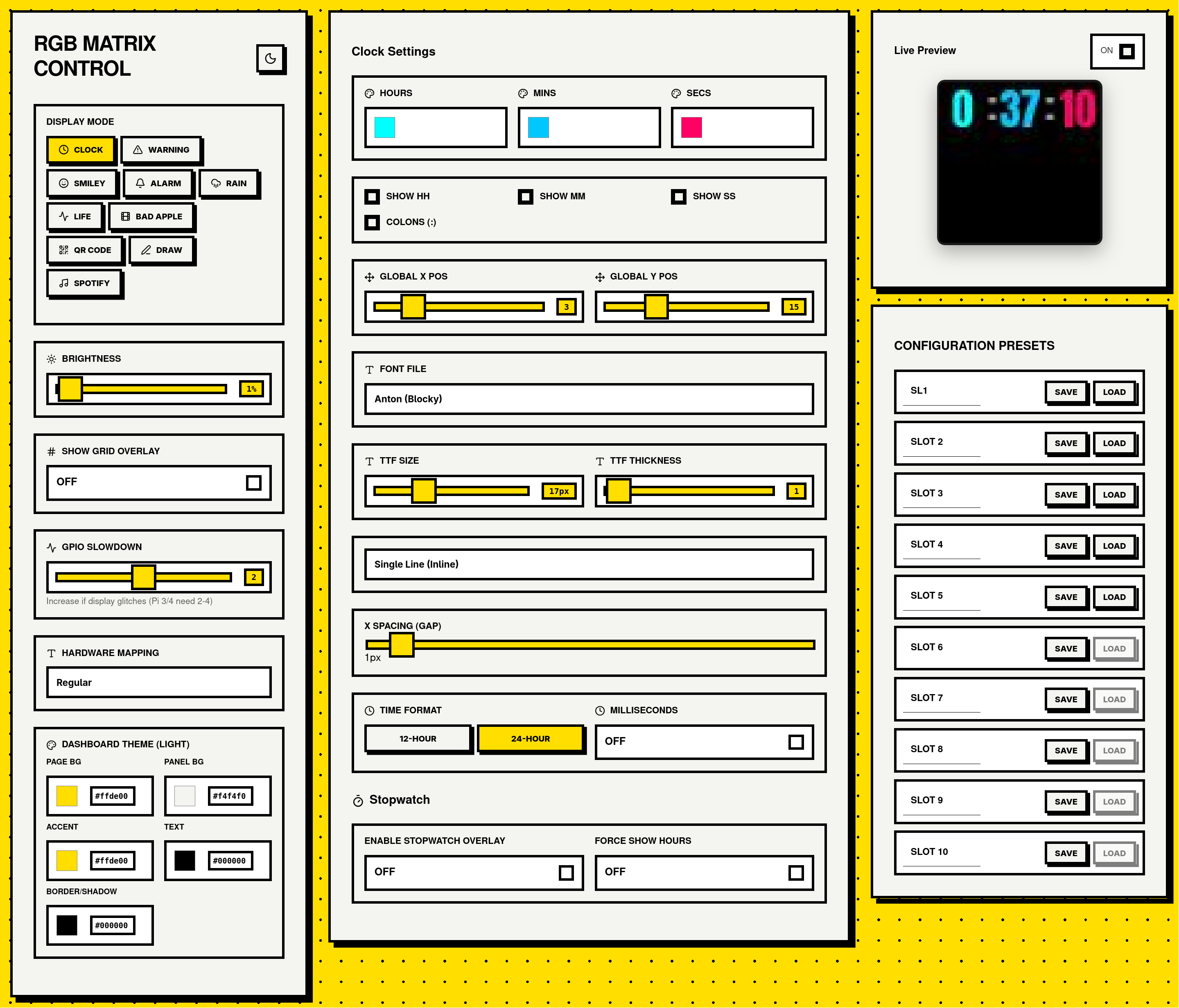
- Clock: Highly customizable layouts with millisecond precision updates.
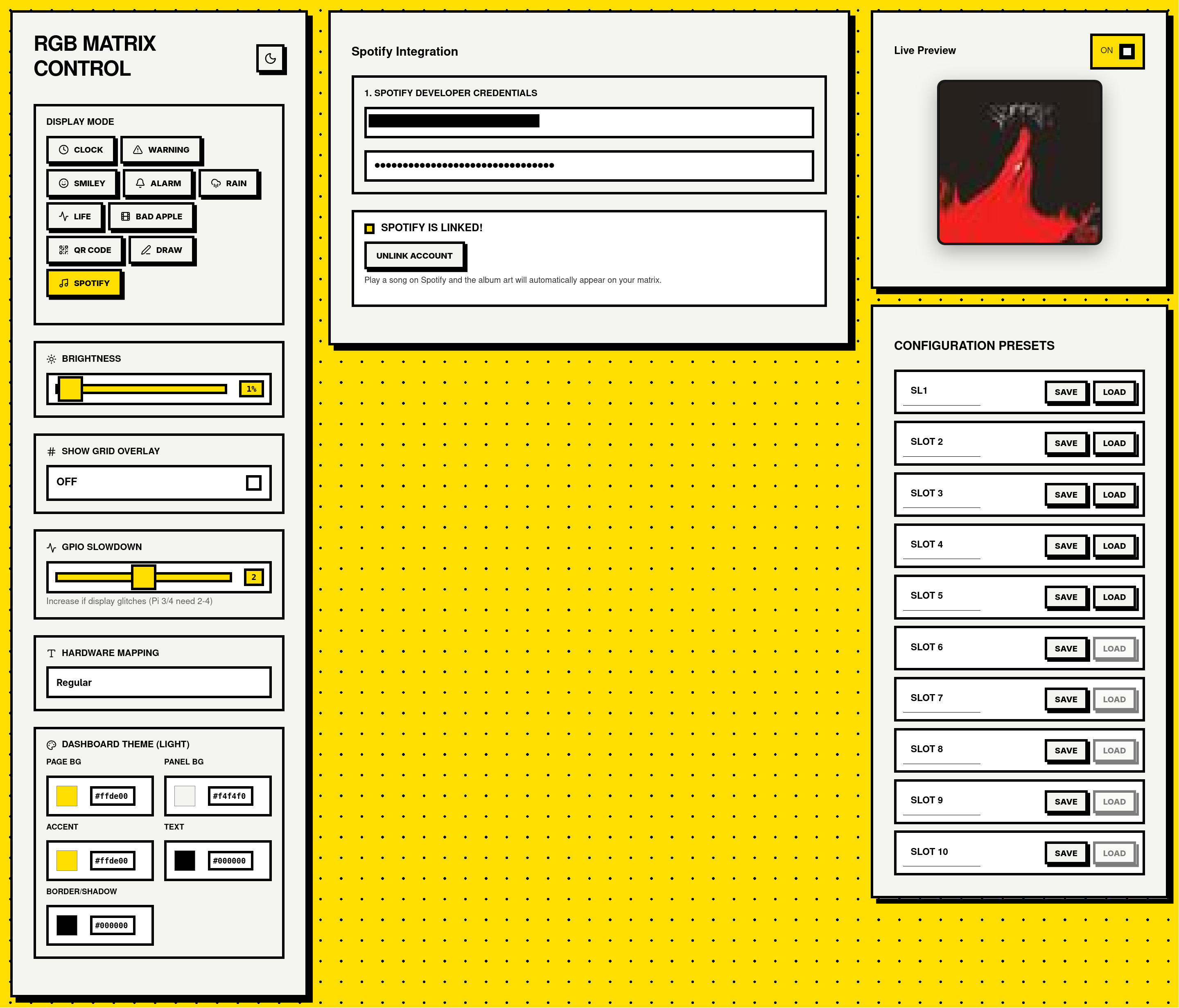
- Spotify Integration: Connects via the Spotify Developer API using OAuth to fetch and display the currently playing album art and playback status.
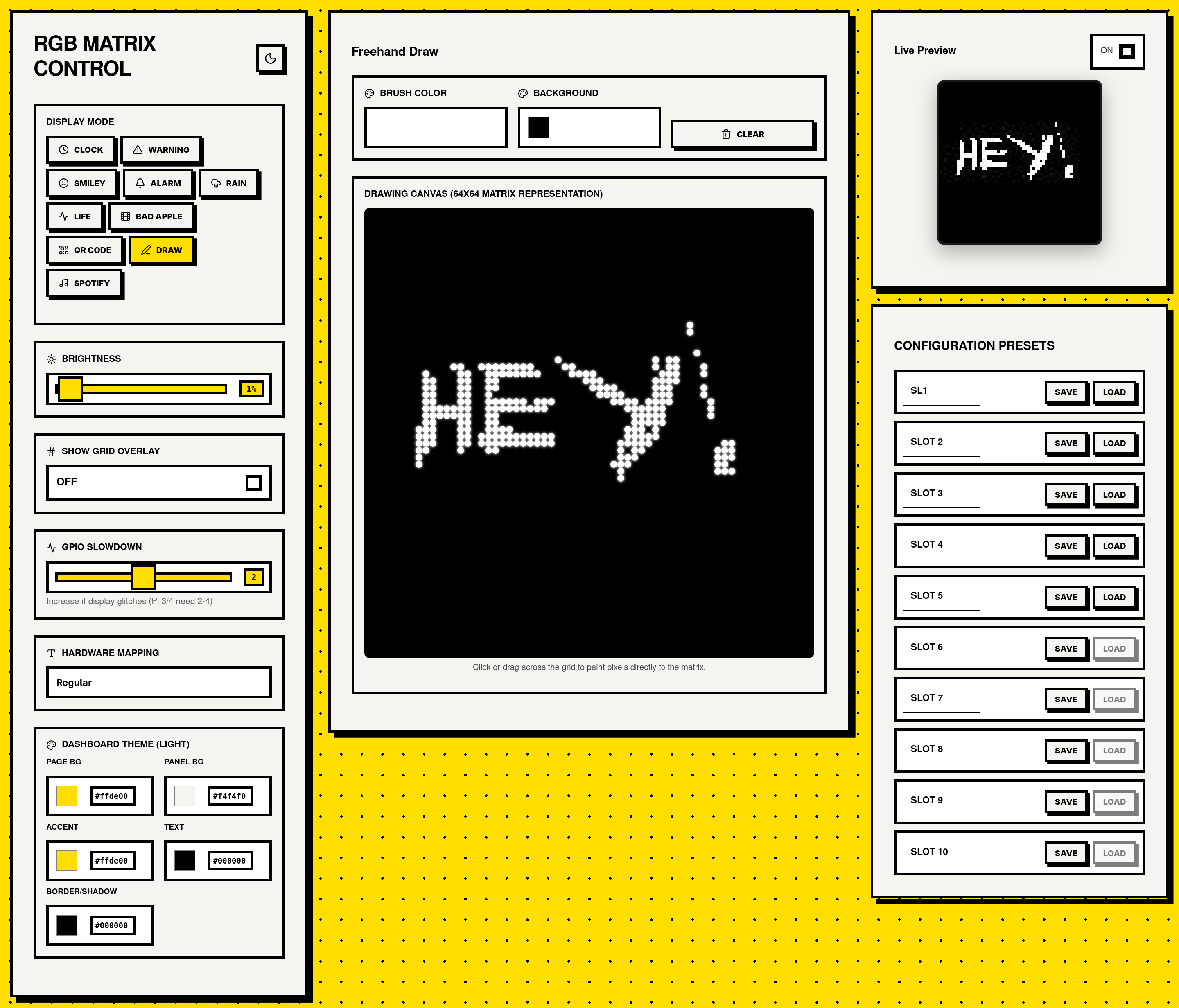
- Interactive Drawing Canvas: A pixel-art canvas integrated into the frontend, allowing real-time sketching directly onto the matrix.
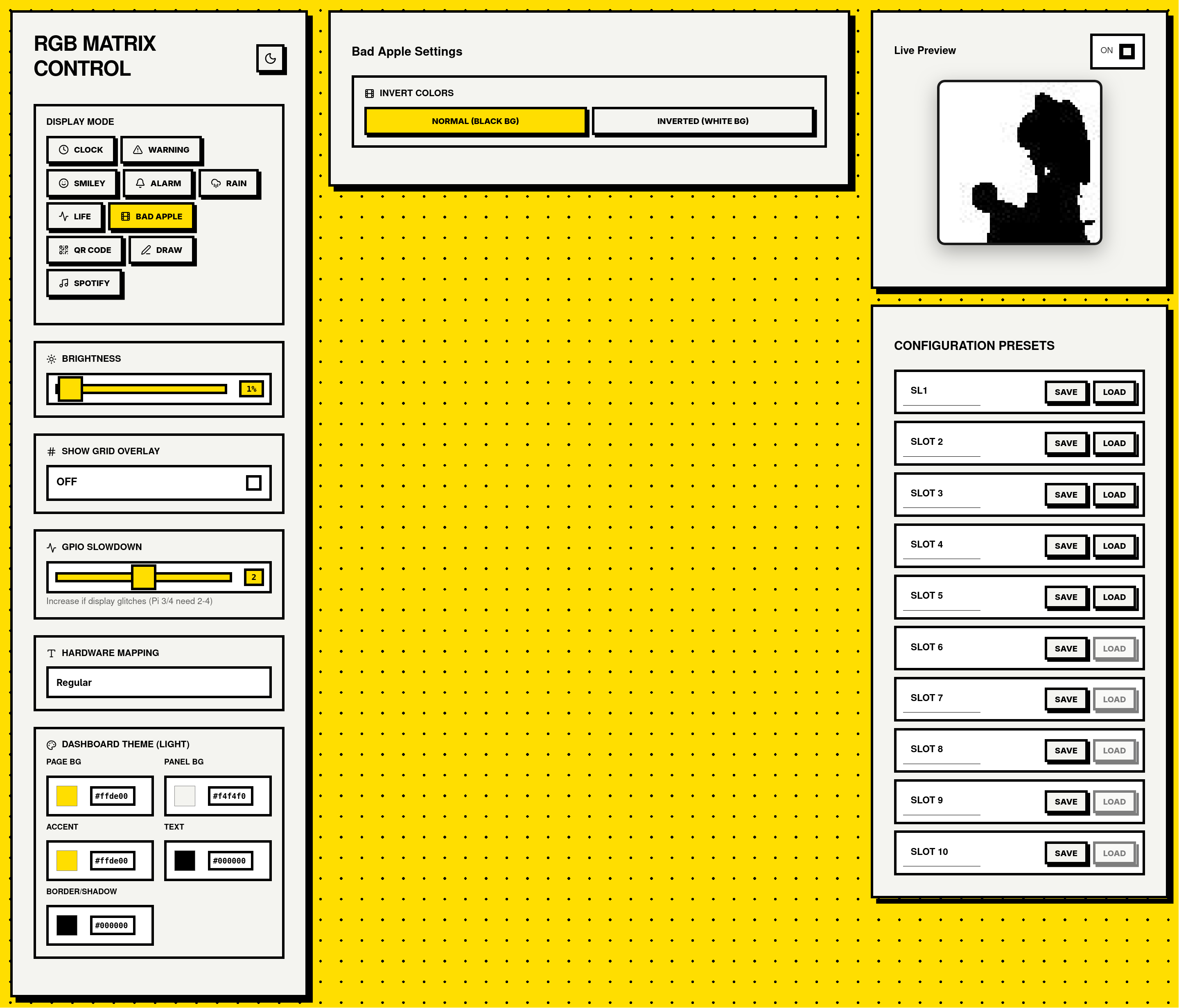
- Bad Apple Playback: The system plays the iconic “Bad Apple” video. It uses a pre-generated binary file (
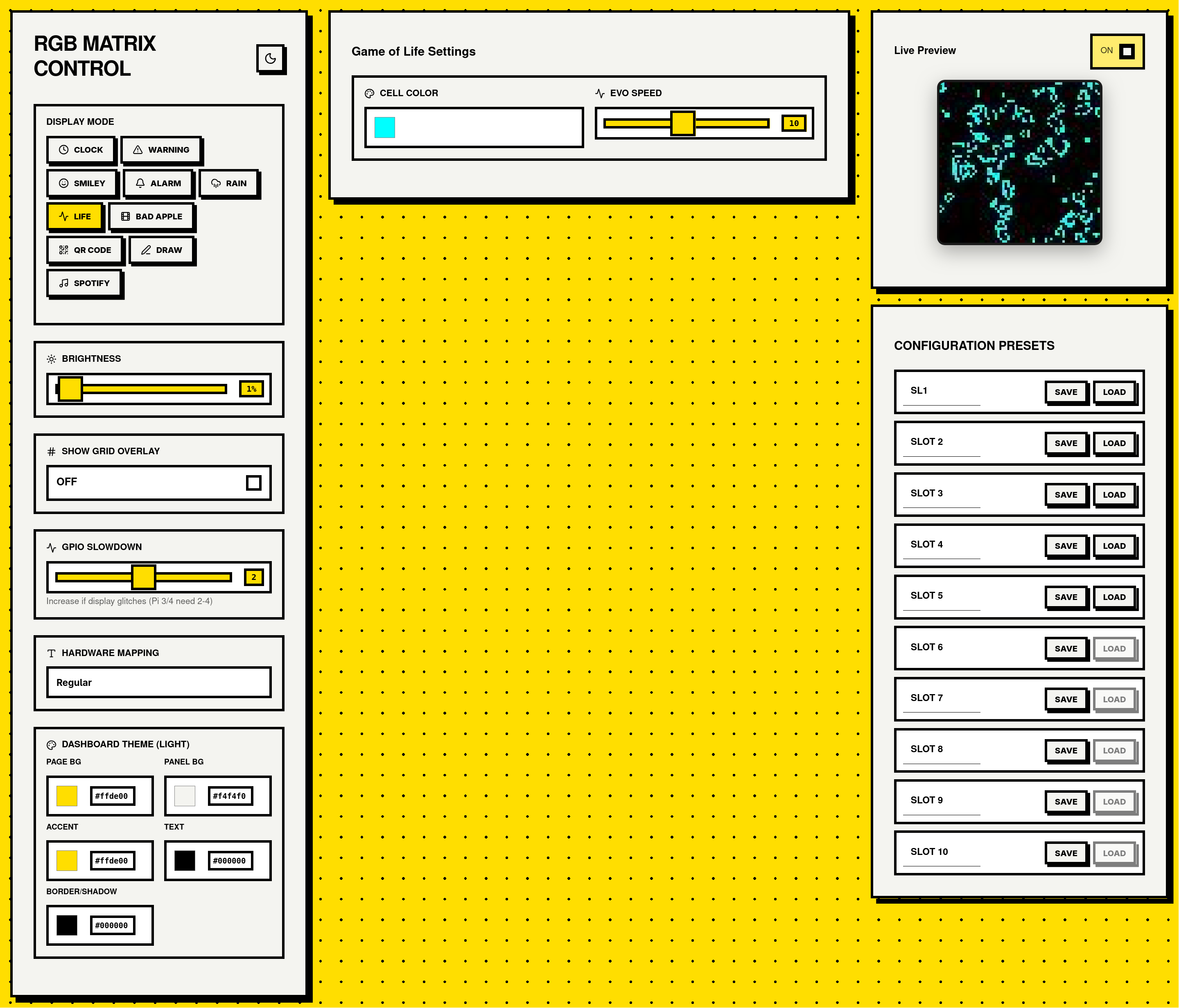
bad_apple.bin) processed viayt-dlpandOpenCVto avoid heavy video decoding overhead on the Pi’s CPU at runtime. - Game of Life: Conway’s cellular automaton simulation.
- Matrix Rain: The classic falling green code effect.
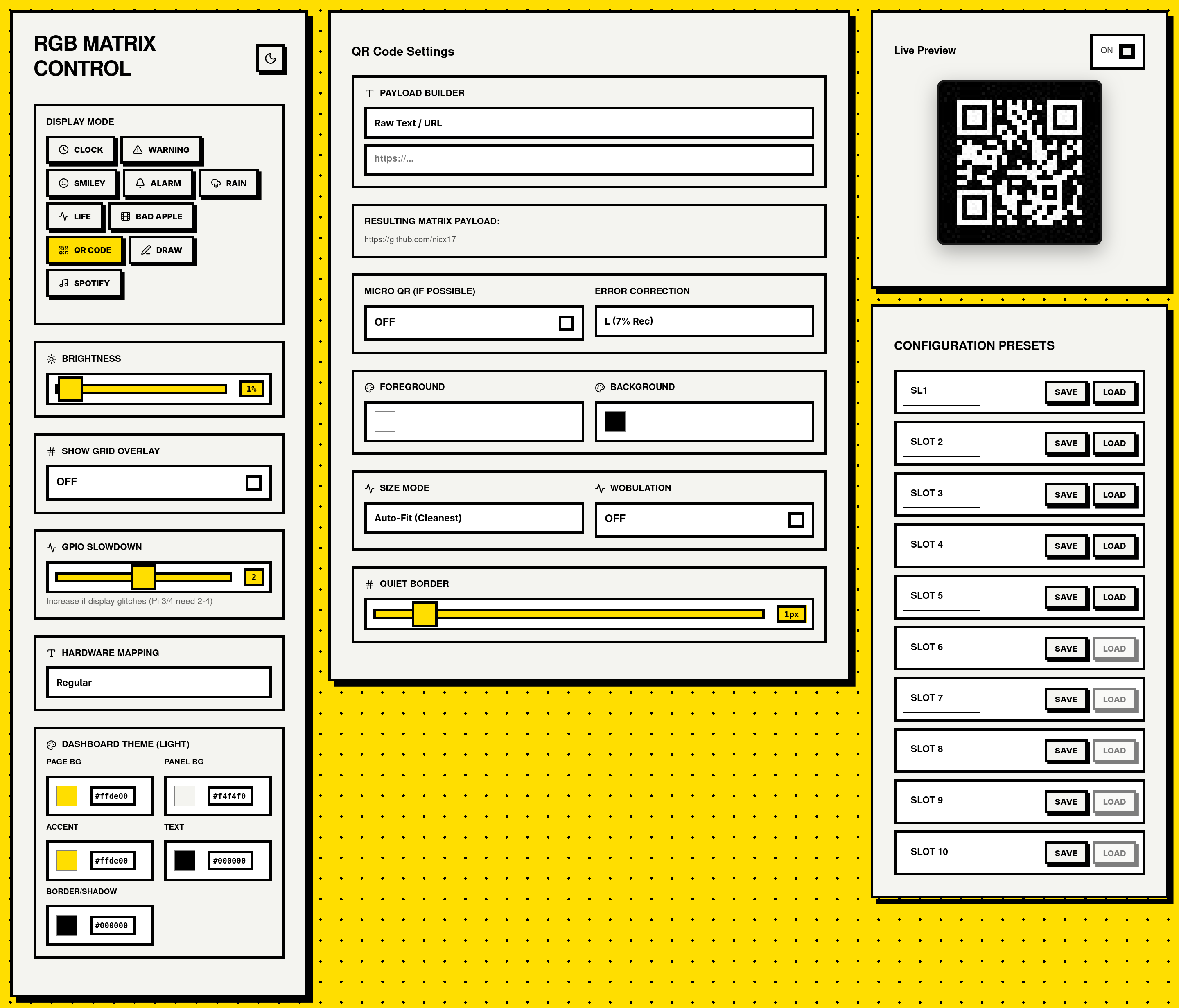
- QR Code: On-the-fly QR code generation (using Segno).
- Basic Graphics: Includes Warning Sign, Alarm, and Smiley modes.
Configuration & Presets
- Preset Memory Bank: Includes a 10-slot persistent memory bank for saving and instantly recalling display configurations.
- Debounced Persistence: The state is rigorously validated using Pydantic and saved to
backend/config.json. The backend actively debounces these writes to minimize SD card wear on the Raspberry Pi. - Hardware Tuning (
gpio_slowdown): Hardware timing can be modified directly from the dashboard. This allows tuning to accommodate faster processors (like the Pi Zero 2 W or Pi 4) which otherwise cause visual rendering artifacts or flickering.
Dashboard Showcase
The web UI provides a clean, responsive interface for managing the matrix.
Technology Stack
Frontend
- Framework: React 19 / Vite 8
- Styling: Vanilla CSS. The app uses dynamic custom CSS properties (
--bg-color,--accent, etc.) to implement robust Light/Dark theming on the fly. - Icons:
lucide-react
Backend
- Server Framework: FastAPI and Uvicorn
- Data Validation: Pydantic (config payload structure heavily typed in
backend/config.py) - Image Processing: Pillow (PIL) for graphics and drawing.
- External Integrations: Spotipy (Spotify API), Segno (QR Code generation).
Hardware & Deployment
- Hardware Target: Raspberry Pi (Zero 2 W recommended) + Adafruit RGB Matrix Bonnet (or compatible wiring).
- Deployment Mechanism: A
deploy.shshell script configures a systemd service (wavedisp.service) that serves the compiled React build statically via the FastAPI server, easing the deployment pipeline. - Security: Built-in support for HTTPS via environment variables (
WAVEDISP_USE_HTTPS,WAVEDISP_CERT_FILE,WAVEDISP_KEY_FILE).
Architecture & Performance Details
- Multiprocessing Isolation: The
backend/main.pyentry point uses Python’smultiprocessingto run the FastAPI ASGI server and the matrix rendering loop in entirely separate processes (sharing state viamultiprocessing.Manager()). This is critical because the matrix rendering loop is synchronous and timing-sensitive; blocking it with HTTP requests would cause visual flickering on the LED matrix. - Frontend Network Throttling: The React frontend uses a
setTimeoutthrottle mechanism (~33 FPS / 30ms interval) for API updates (/api/config). This prevents network saturation when users rapidly change values, such as dragging a color picker or drawing on the canvas.
Project Links & Reference
- Repository: github.com/nicx17/wavedisp
- Hardware Reference: Waveshare P2.5 64x64
- Underlying Driver: hzeller/rpi-rgb-led-matrix